


You paid someone to clean your hacked WordPress site. The spam disappeared. A week later, it’s back. This is one of the most frustrating problems for website owners, and it is very common.
The reason is almost always the same: the visible malware was removed, but the backdoor that let it back in was not. This guide explains where backdoors hide, why quick cleanups fail, and how to make a cleanup that lasts.
What Is a Backdoor?
A backdoor is a small piece of code that lets an attacker get back into your website without a password. It can be one line hidden inside a real theme file. Once it is there, the attacker can upload new malware whenever they want, even after you clean everything else.
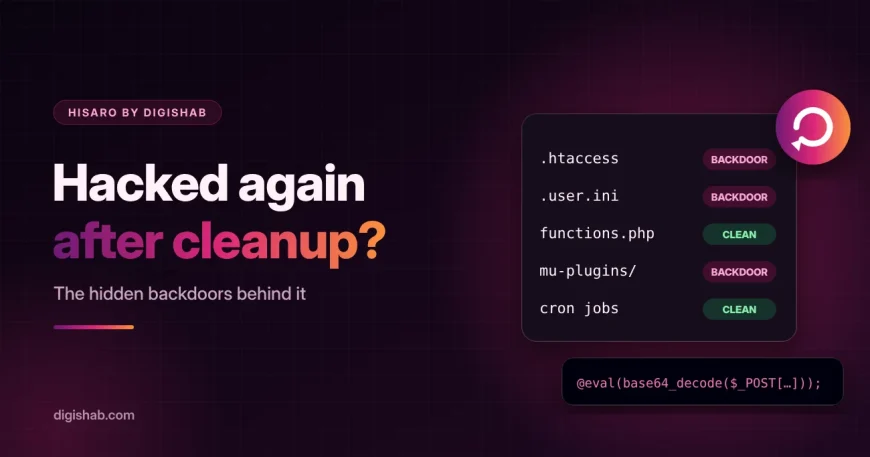
Backdoors are designed to look harmless. They often use names like wp-cache.php or hide encoded code such as eval(base64_decode(...)) inside normal files.
Where Backdoors Hide
From our experience cleaning real client sites, these are the most common hiding places:
- .htaccess files in many folders, not only the main one, sometimes redirecting visitors or allowing PHP to run in uploads
- .user.ini files that load malicious code before WordPress starts
- Theme and plugin files with one injected line
- The uploads folder, where PHP files should never exist
- mu-plugins (must-use plugins), which load automatically and are hidden from the normal plugin list
- Cron jobs that re-download malware every few hours
- The database, as fake admin users or injected options
- Other websites on the same hosting account that re-infect each other
Why Quick Cleanups Fail
- Only the visible symptom is removed. Deleting spam pages or the obvious file doesn’t remove the backdoor.
- Automated scanners miss custom code. Many backdoors are new or slightly changed to avoid detection.
- The entry point stays open. The outdated plugin or nulled theme is still there.
- Neighbouring sites are ignored. One infected site on a shared account reinfects the rest.
- Passwords aren’t changed. Stolen admin or FTP passwords let attackers log straight back in.
How to Make a Cleanup That Lasts
- Compare every core, theme and plugin file with its original version, so even one injected line is found.
- Check every persistence location: .htaccess, .user.ini, cron, mu-plugins and the uploads folder.
- Scan all websites on the same hosting account.
- Find the root cause in the access logs: how did they get in?
- Update or replace vulnerable plugins and remove nulled software.
- Change every password and remove unknown users.
- Monitor the site for weeks after the cleanup.
Free website scan
Is your website hacked? Check it free in under a minute
Hisaro checks blacklists, hidden Japanese SEO spam, injected scripts, exposed files, SSL, security headers and email protection. No login, and you get a shareable report link.
A Typical Re-Infection Story
A common case we see: a business website gets Japanese SEO spam. The owner installs a security plugin, which deletes the spam files. Traffic slowly recovers. Two weeks later, the spam returns, even worse. The real cause was a single line of code hidden in the theme’s functions file and a cron job that downloaded new malware every six hours. The plugin never flagged either one.
Once those were found and removed, the outdated plugin that let the attacker in was updated, and all passwords were changed, the site stayed clean.
Checklist After Any Cleanup
- All core, theme and plugin files match their original versions
- No PHP files in the uploads folder
- No unknown .htaccess, .user.ini or mu-plugin files
- No unknown cron jobs on the server
- No unknown admin users in WordPress
- All passwords changed, including hosting, FTP and database
- Every site on the same hosting account scanned
- Firewall and daily scanning switched on
If you can’t tick every item, the site is still at risk of re-infection.
Why Nulled Themes and Plugins Are So Dangerous
Nulled themes and plugins are paid products shared for free on unofficial websites. They often come with a backdoor already inside. Installing one is like giving the attacker a key to your website. Even after a full cleanup, a nulled plugin can reinfect the site straight away. Always buy themes and plugins from the official developer, and remove any you are not sure about.
Shared Hosting Makes It Worse
On shared or reseller hosting, many websites often sit under one account. If one old, forgotten site is infected, the malware can spread to every other site in that account, including your main business website. Cleaning only one site in that situation almost guarantees re-infection. Always scan every website in the same hosting account, and remove old installations you no longer use.
How Hisaro Stops Re-Infection
Hisaro was built for attacks that keep coming back:
- File time machine: compares every file with its original and restores it in one click
- Persistence hunter: checks .htaccess, .user.ini, cron jobs, mu-plugins and neighbouring sites
- Root-cause report: shows how attackers got in and proves the door is closed
- 30 days of monitoring after cleanup, plus a full year of Protect
- Free re-cleaning if a protected site is hacked again
Not sure if your site is still infected? Start with the free Hisaro scan.
Talk to DigiShab
Worried about your website’s security?
Talk to a DigiShab security analyst. We review your site and reply with clear next steps.
Frequently Asked Questions
Why does my WordPress site keep getting hacked?
Usually because a backdoor was left behind or the original entry point, such as an outdated plugin or stolen password, was never fixed.
Where do WordPress backdoors usually hide?
In .htaccess and .user.ini files, theme and plugin files, the uploads folder, mu-plugins, cron jobs, the database and other sites on the same hosting.
Can a security plugin find all backdoors?
Not always. Custom or slightly changed backdoors can be missed. Comparing files with original versions and analyst review find what scanners miss.
How long should I monitor a site after cleanup?
At least a few weeks. Hisaro Clean & Recover includes 30 days of monitoring and a year of protection.
Do you clean other platforms besides WordPress?
Yes. Hisaro supports PHP and static sites too, and custom plans for other platforms.

