


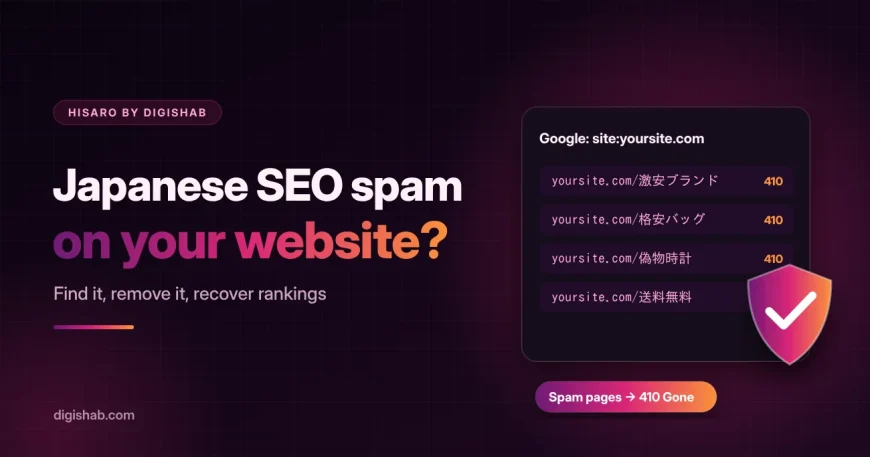
You search your business name on Google and see strange results: Japanese text, cheap brand products and pages you never created, all under your own domain. Your website looks normal when you open it. This is the Japanese keyword hack, also called Japanese SEO spam, and it is one of the most common hacks on WordPress and PHP websites.
This guide explains how the hack works, how to confirm your site is affected, how to clean it properly and, most importantly, how to make Google forget the spam pages so your rankings recover.
What Is the Japanese Keyword Hack?
Attackers break into a website and create thousands of auto-generated pages in Japanese, usually selling fake designer goods. They use your domain’s trust in Google to rank these pages.
The tricky part is cloaking. The spam is shown to Google’s crawler, but normal visitors and the site owner often see the real website. That is why many owners only find out when traffic drops or Search Console sends a warning.
Signs Your Website Has Japanese SEO Spam
- Japanese or strange product results when you search
site:yourdomain.comon Google - A sudden jump in indexed pages in Google Search Console
- New, unknown owners or users added to your Search Console property
- Traffic drops for your real keywords
- New sitemaps you didn’t create
- Unfamiliar files in your hosting, often with random names
The fastest way to check is the free Hisaro website scan. It looks for spam shown only to Google, blacklist warnings and injected scripts, in under a minute.
How Attackers Get In
The spam is the result, not the cause. Common entry points include:
- Outdated plugins or themes with known vulnerabilities
- Nulled (pirated) themes and plugins with hidden backdoors
- Weak or reused admin passwords
- Infected neighbouring websites on the same hosting account
- Old, forgotten installations left on the server
If you only delete the spam pages and don’t close the entry point, the hack usually returns within days.
How to Clean the Japanese Spam Properly
- Take a full backup of files and database before changing anything.
- Find every infected file: compare core, theme and plugin files with original versions, and check .htaccess, .user.ini, cron jobs and mu-plugins.
- Remove backdoors, not just the visible spam. Backdoors are what bring the hack back.
- Clean the database of injected content and unknown admin users.
- Update everything and remove nulled or unused plugins and themes.
- Change all passwords: WordPress admins, hosting, FTP, database and email.
- Remove unknown owners from Google Search Console.
Free website scan
Is your website hacked? Check it free in under a minute
Hisaro checks blacklists, hidden Japanese SEO spam, injected scripts, exposed files, SSL, security headers and email protection. No login, and you get a shareable report link.
The Step Most People Miss: Making Google Forget
Even after cleaning, thousands of spam URLs can stay in Google for months. They hurt your brand and pull your real pages down. To speed up recovery:
- Return a 410 Gone status for spam URLs, which tells Google they are removed for good
- Submit a clean, rebuilt sitemap
- Request removal of the worst URLs in Search Console
- Request a review if Google flagged your site
- Monitor the number of indexed spam pages week by week
This is exactly what the Hisaro SEO Recovery Center does: it answers every spam URL with 410, rebuilds your sitemap, cleans Search Console and shows the spam count falling day by day.
How Long Recovery Usually Takes
Once the site is clean and the spam URLs return 410, most websites see the number of spam pages in Google start to fall within a few weeks. Larger infections with tens of thousands of URLs can take a few months to clear fully. Your real pages usually recover their rankings as the spam disappears and Google trusts your domain again.
During recovery, keep an eye on Search Console: indexed pages, security issues, manual actions and the sitemaps report. A steady fall in indexed spam pages is the sign that recovery is on track.
Should You Do It Yourself?
If you are comfortable with hosting file managers, databases and Search Console, you can follow the steps above yourself. But Japanese spam infections are rarely simple. Missing one backdoor means starting again, and every week the spam stays live costs you traffic. For business websites, a professional cleanup with a root-cause report and monitoring is usually faster and cheaper in the long run.
How to Stop It Coming Back
- Use a firewall that blocks attacks before they reach WordPress
- Scan files daily against original versions
- Apply security patches the day they are released
- Keep off-site backups with one-click restore
- Get instant alerts when something changes
Hisaro Protect includes all of these, and if a protected site is ever hacked, DigiShab cleans it for free.
Talk to DigiShab
Worried about your website’s security?
Talk to a DigiShab security analyst. We review your site and reply with clear next steps.
Frequently Asked Questions
How do I know if my site has the Japanese keyword hack?
Search site:yourdomain.com on Google and look for Japanese or unknown product pages, check Search Console for a jump in indexed pages, or run the free Hisaro scan.
Why can’t I see the spam pages when I open my website?
Attackers use cloaking: the spam is shown to Google’s crawler but hidden from normal visitors and logged-in owners.
Will deleting the spam pages fix the problem?
Not on its own. You must remove the backdoors and close the entry point, or the hack usually returns.
How long until Google removes the spam pages?
It can take weeks or months. Returning 410 Gone, submitting a clean sitemap and using Search Console removals speeds it up.
Can DigiShab clean my site?
Yes. Hisaro Clean & Recover includes analyst cleanup, Japanese spam removal with 410, Search Console cleanup and a year of protection.

